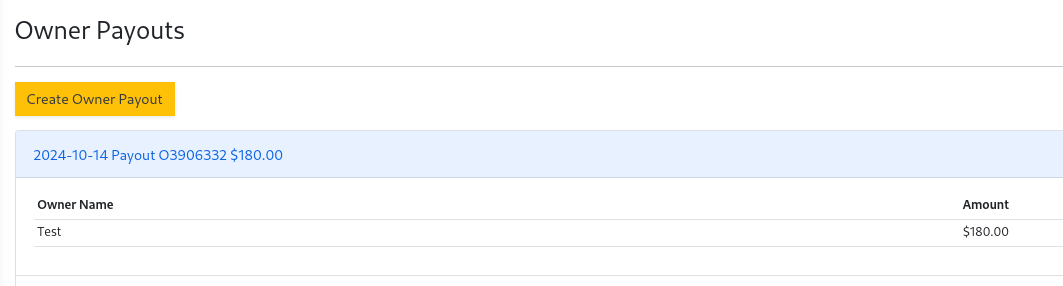
Paying Owners
- To pay owners select
Owner PayoutunderOwnersmenu. - Select
Create Owner Payout - A table is presented with all owners and their properties. The
Payout Amountcolumn on the right side provides a suggested payout based on the available balance. Edit thePayout Amountto the desired amount for each owner.
Suggested payout amount= 1150: Operating Cash - Unpaid Bills Amount - Unsettled Payments - Unused Prepayment Amount - Reserve Amount - Work Order Estimates
When you have completed editing the payout amount, select the checkbox next to the owners name. Only owners that are checked will be included in the payout. You can uncheck an owner to edit the payout amount.
- Green - Payout amount does not exceed available balance.
- Yellow - Payout amount exceeds available balance.
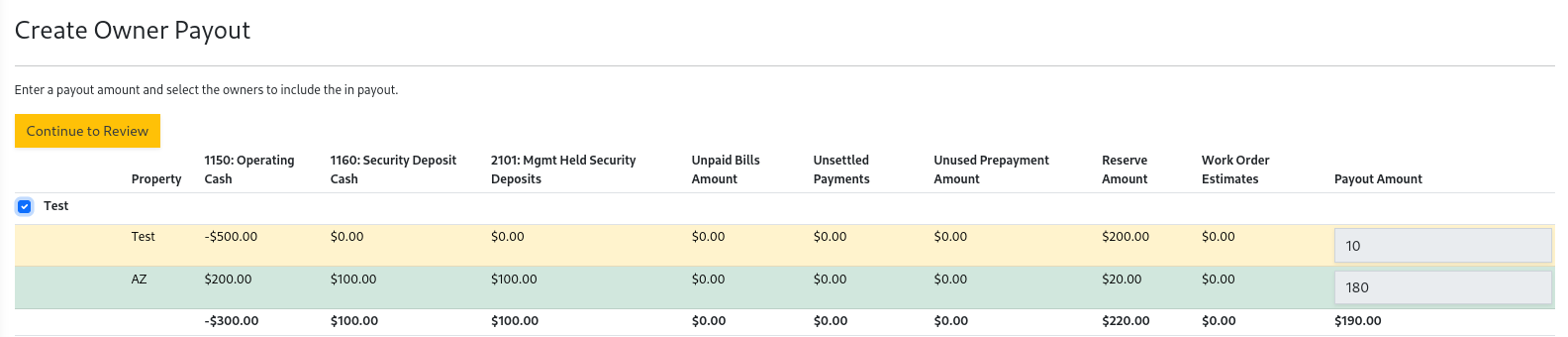
- Once you have selected all of the owners to include in the payout and are satisfied with the amounts, select
Continue to Review.
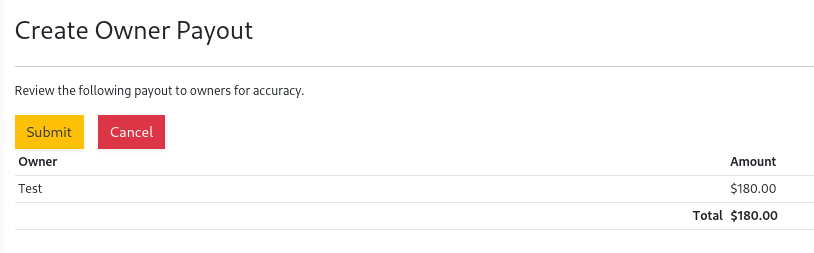
- Select
Submitto submit the owner payout.
Owners will need a bank account configured to receive an ACH payout. Owners can edit their bank account in the owners portal
at https://owner.propertymq.com/ or you can edit it in the Owner Directory.
- The recent Owner Payouts will be listed on the Owner Payout page in the Owners menu.